
Help Center

How do I switch between the index, call, and put option charts?
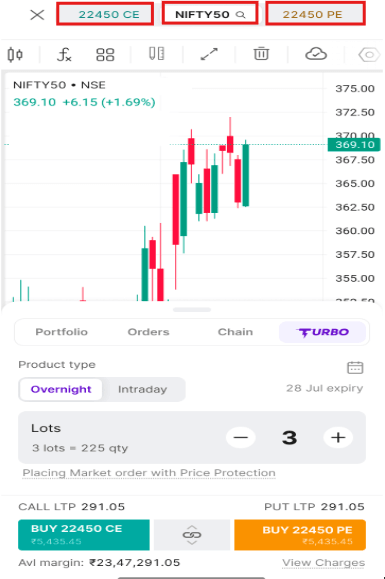
You can easily switch between these charts by using the three dedicated tabs located at the top of the screen: Call, Underlying asset (main index), and Put. Once you tap any of these tabs, it instantly displays the specific instrument’s live chart.
Please note that when you are on either the Call or Put chart tab, you can place a market buy order with just a single tap, without switching any screens.
Was this helpful?


